
Last Updated: November 2, 2026
Quick Summary
The best access control system for a small medical office controls every door staff and patients actually use, revokes access the same day someone leaves, keeps working when power or network drops, and fits a small practice's budget. A minimum viable setup is usually four to six controlled doors, prioritizing medication storage, records rooms, and the server closet over the lobby.
- HIPAA requires safeguards for patient information but does not name a specific lock, reader, or software product.
- Build a five-year cost model covering hardware, installation, subscription, and credential replacements.
- Cloud systems offer remote administration but still need local hardware to open doors during internet outages.
- Reserve multi-factor authentication for medication storage, records rooms, and server closets, not the lobby door.
- Disable a departing employee's credential the same day and confirm the access log shows no later use.
Table of Contents
- What the Best Access Control System for a Small Medical Office Actually Needs
- Access Control System Cost for Small Business: What Drives the Number
- Cloud-Based Access Control for Small Businesses vs On-Premise Systems
- Key Card Access System for Medical Office: Cards, Fobs, Mobile, or Biometrics
- Medical Office Security Best Practices: Door by Door and Role by Role
- Outages, Emergency Egress, and Business Continuity
- Visitor Management, Video Verification, and Audit Trails
- Get a Door-by-Door Assessment Before You Buy
- Frequently Asked Questions
What the Best Access Control System for a Small Medical Office Actually Needs
The best access control system for a small medical office controls every door staff and patients actually use, revokes access the same day someone leaves, keeps working when power or network drops, and fits a small practice's budget.
An access control system is the combination of door hardware, readers, credentials, and management software that decides who can open which door and when. In a medical office, it is the physical layer under your patient privacy obligations.
Where HIPAA Ends and Physical Security Begins
Here is the distinction most guides blur: HIPAA's Security Rule requires safeguards for electronic protected health information, and physical safeguards are part of that picture. The HHS Security Rule guidance covers facility access controls, but it does not name a specific lock, reader, or software product.
That gap is where small practices get stuck. A locked door with a key is technically a control.
Access Control System Cost for Small Business: What Drives the Number
Most pricing pages for access control are written for facilities with a security director and a five-year capital plan.
Access control pricing depends on the number of doors, the hardware involved, and the credential type, so a three-door suite and a nine-door clinic are different projects. The line items below show what makes up a realistic small-practice budget and the trade-offs behind each, so you can sanity-check any quote you receive.
The Four Cost Buckets, and What Moves Each One
The cost of an access control system cost for small business budget breaks into four buckets:
- Door hardware: readers, electric strikes or electromagnetic locks, request-to-exit sensors, door position switches, and power supplies. A standard interior door with a strike and reader is cheapest. A glass storefront entrance with a maglock, request-to-exit sensor, and door position switch costs more because there is more hardware and wiring.
- Controllers: a panel per cluster of doors, or a cloud-connected controller per door. Panel-based systems concentrate cost at the panel; per-door cloud controllers spread it across every opening.
- Credentials: keycards, fobs, or mobile credentials, priced per user. Cards and fobs carry a per-credential cost plus reprint cost when lost. Mobile credentials usually shift cost into the subscription.
- Labor and software: installation, wiring, configuration, and any subscription. Labor varies most between a drop-ceiling office and a building with plaster walls and no accessible pathway above the ceiling.
The subscription is the line item small practices underestimate. Cloud systems trade a lower upfront hardware bill for a recurring fee. On-premise systems cost more up front and less over time. Neither is automatically cheaper; it depends on how long you plan to stay in the space and how many doors you are managing.
A Realistic Year-One and Year-Five View
Instead of a single quote, build a five-year model. Year one carries hardware, installation, and configuration. Years two through five carry the subscription, credential replacements, and any hardware that wears out or fails inspection.
A common pattern is to overbuy on the front door and underbuy on the interior doors that actually protect patient information. The front entrance is visible and gets the budget; the medication closet and records room get a mechanical key.
Where Small Practices Overspend and Where They Shouldn't
Overspending usually happens in three places: biometric readers on doors that do not need identity certainty, video integration on every door instead of the two or three that matter, and multi-factor authentication on the front lobby door where it slows patients and staff for no security gain. Underspending happens on the doors that hold paper records, medication storage, and the server or network closet.
A practical rule for a single-site office: put the money into audit trails and reliable hardware on the four to six doors that protect patient information and medications, and keep the lobby and break room doors simple and durable. That gives you the defensibility you need without paying for capability you will never use.
For current pricing on hardware and installation, get a quote from Abra Key Dabra Locksmith Services.
Cloud-Based Access Control for Small Businesses vs On-Premise Systems
Cloud-based access control for small businesses wins on day-to-day management. On-premise systems win on independence from your internet connection.
A cloud-managed system stores user permissions and access logs on a vendor's servers.
An on-premise system keeps the controller and database in your building.
| Factor | Cloud-Managed | On-Premise |
|---|---|---|
| Upfront hardware cost | Lower | Higher |
| Monthly subscription | Yes | Usually none |
| Remote administration | Full | Limited or none |
| Works without internet | Partial | Yes |
| Software updates | Vendor handles | You handle |
| Best for | Multi-site, lean staff | Single site, IT on hand |
Here is what most reviews miss: a cloud system still needs working local hardware to open a door during an internet outage.
Key Card Access System for Medical Office: Cards, Fobs, Mobile, or Biometrics
A key card access system for a medical office should match the credential to the person and the door. Cards suit staff who badge through several doors a day. Fobs survive keychains and pocket wear better. Mobile credentials remove the lost-card problem entirely. Biometrics fit high-security rooms where you need certainty about identity.
- Keycards: cheap to replace, easy to print with photo ID, familiar to staff
- Key fobs: durable, small, good for maintenance and after-hours staff
- Mobile credentials: phone-based entry, instant revocation, no reprinting
- Biometric authentication: fingerprint or palm readers for medication storage and records rooms
Multi-Factor Authentication and Contactless Entry
Multi-factor authentication means combining two credential types at one door, such as a card plus a PIN, or a card plus a fingerprint. Reserve it for the doors that justify the friction: medication storage, the server closet, and any room holding paper records. Putting multi-factor on the front lobby door slows patients and staff for no security gain.
Contactless entry is now the default expectation. High-security cylinders with patented keyways and drill resistance complement electronic entry on any door that still needs a physical key, and you can explore high-security lock options that pair with card, fob, or biometric readers.
Medical Office Security Best Practices: Door by Door and Role by Role
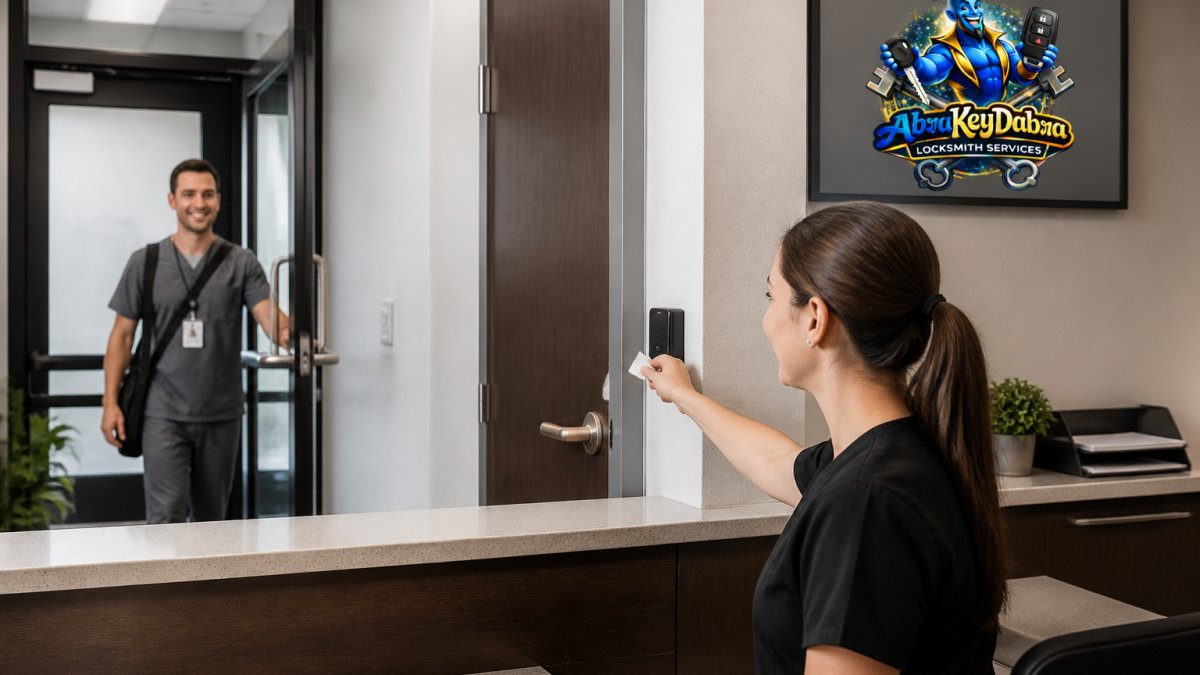
Medical office security best practices start with a door schedule, not a product catalog. List every door, who uses it, what is behind it, and when it needs to be open.
A Door-by-Door Priority List for a Single-Site Office
Rank doors by what is behind them, not by how visible they are. A practical order for a small medical office:
- Front entrance: controlled during business hours, locked after close. A reader with an audit trail and a schedule is enough. Patients and staff use it all day, so keep the credential simple and the hardware durable.
- Medication storage: the highest-priority door in the office. Reader plus audit trail, restricted to a short list, with multi-factor authentication if the practice stores controlled substances. This is the door where identity certainty matters.
- Records room or file storage: reader plus audit trail, restricted to clinical and administrative staff who need it. If paper records are still in use, this door carries the same weight as medication storage.
- Server or network closet: reader plus audit trail, restricted to IT or management. Small practices often leave this on a mechanical key, which is the wrong call because it holds the systems that store patient data.
A minimum viable setup for a small practice is usually four to six controlled doors: front entrance, medication storage, records room, server closet, and one or two secondary staff doors. Everything else can stay mechanical until the practice grows or a risk assessment says otherwise.
Role-Based Access Without Overcomplicating It
Role-based access follows the same logic. Group permissions by job function, not by person: front desk, clinical staff, billing, cleaning crew, and management.
The mistake small practices make is creating a custom permission set for every employee. That works until someone leaves and nobody remembers which doors they had.
Watch out: cleaning crews and after-hours vendors are the most common source of unexplained badge events.
Staff Onboarding, Offboarding, and Credential Revocation
Credential revocation is the test that separates a real system from a key ring. When an employee leaves, a key can be copied and you will never know.
Build the process into hiring and exit paperwork. If you are still on mechanical keys and someone leaves or a key goes missing, re-key the affected doors rather than replacing the hardware, and you close the gap without a full swap.
A low-disruption migration from keys to credentials follows the same door priority list.
Outages, Emergency Egress, and Business Continuity
Every electronic access system must fail safe at an exit door.
Emergency egress requirements come from local fire and building codes, which adopt model codes like NFPA 101 Life Safety Code.
Business continuity covers the other direction too. For exit doors on your egress paths, commercial exit hardware installed right keeps the door code-compliant and keeps your staff able to leave in an emergency.
Visitor Management, Video Verification, and Audit Trails
Visitor management, video verification, and audit trails turn a lock into a record. A visitor log tells you who signed in and when they left. Video verification lets you confirm a badge event against camera footage.
Small practices often skip all three and then struggle to answer basic questions. Who accessed the records room last Tuesday? Did the cleaning crew badge in after hours? Was the rear door propped open?
Get a Door-by-Door Assessment Before You Buy
The right system for your practice starts with a walk-through, not a quote form. We look at every door, check the frame and hardware, confirm which doors are on egress paths, and map who needs access to what.
Abra Key Dabra Locksmith Services is licensed and insured, and handles commercial lock installation, exit door hardware, and security upgrades for businesses in the Greater Evansville area.
Contact Abra Key Dabra Locksmith Services to discuss your office's access control needs and request a quote.
Frequently Asked Questions
How much does an access control system cost for a small medical office?
Total cost depends on door count, credential type, and whether you choose a cloud or on-premise system. Expect line items for door controllers, readers, electromagnetic or electronic locks, installation, and any monthly subscription. A three-door practice with keycards costs far less than a ten-door clinic using biometric authentication and video integration. Because pricing varies by hardware and site wiring, ask for a written door-by-door quote before committing, and confirm whether the subscription is billed monthly or annually.
Is cloud-based access control a good choice for a small medical practice?
For most small practices, yes. A cloud-managed system gives you remote administration, real-time monitoring, and audit logs without running a server on site. You can revoke a lost keycard from anywhere, which matters when a staff member leaves. The trade-offs are the recurring subscription cost and dependence on your network. Ask your installer how the door controller behaves during an internet outage, since local door decisions should keep working even when the cloud link drops.
Does HIPAA require medical offices to use electronic access control?
HIPAA does not name access control systems specifically. It requires reasonable safeguards for protected health information, including limiting physical access to areas where records and medication are stored. Electronic access control supports that duty through audit trails, role-based access, and credential revocation. It is a tool for meeting the standard, not a mandate in itself. Pair it with written policies, staff training, and locked storage for paper records and medication.
Should a small medical office use key cards, fobs, or mobile credentials?
Key cards are the cheapest to replace and easy for staff to carry. Fobs are more durable and fit on a keyring. Mobile credentials remove the lost-card problem and let you revoke access instantly from a phone, but they cost more per user and require compatible readers. Many practices mix them: cards for temporary staff and mobile credentials for full-time employees. Whichever you choose, confirm your reader supports multi-factor authentication and contactless entry.

Tags