Last Updated: November 28, 2026
Quick Summary
The best commercial door security system depends on how many doors you manage, who needs access, and how much control you want over credentials. For most businesses, a card or badge reader paired with an electronic lock offers the strongest balance of security and convenience. Commercial door security choices should also respect emergency exit requirements.
- Keycard or badge readers suit most office and retail doors and provide a full audit trail.
- Keypads are budget-friendly but codes can be shared, so use them on secondary doors with light traffic.
- Fail-safe locks unlock during power loss and are the default expectation for doors on an exit path.
- Never install a fail-secure lock on a door used to leave the building.
- Professional installation is recommended because commercial systems involve wiring, fire alarm integration, and inspection documentation.
Table of Contents
- Which Commercial Door Security System Is Best for Your Business?
- Quick Comparison of Commercial Door Security Options
- Commercial Access Control Systems: Types and How They Work
- Commercial Door Locks: Electronic, Magnetic and Mechanical Options
- Cloud-Based and Connected Systems: Cybersecurity and Privacy Considerations
- Life Safety, Accessibility and Emergency Egress Requirements
- Professional Installation vs. DIY: What to Weigh Before You Buy
- Booking Your Commercial Door Security Assessment With Abra Key Dabra
- Frequently Asked Questions
Which Commercial Door Security System Is Best for Your Business?
The best commercial door security system depends on how many doors you manage, who needs access, and how much control you want over credentials.
This guide compares the main commercial door security options so you can narrow your choices before talking to a provider.
Commercial access control is the set of hardware and software that decides who can enter a door, when, and how that permission is recorded. Most systems combine a credential, a reader, a door controller, and a lock.
Quick Comparison of Commercial Door Security Options
Each option trades cost, control, and convenience differently, and the right pick usually depends less on the credential than on the door and building it protects. The table below summarizes the common choices, then the sections that follow break down which system fits which kind of door.
| Option | Best For | Credential Type | Audit Trail | Installation Complexity |
|---|---|---|---|---|
| Keypad with PIN | Small offices, back doors | Code | Limited | Low |
| Keycard or badge reader | Most office and retail doors | Card or fob | Full | Moderate |
| Biometric reader | High-security rooms | Fingerprint or face | Full | Moderate to high |
| Mobile credential reader | Teams using phones | Smartphone | Full | Moderate |
| Cloud-connected system | Multi-site businesses | Varies | Full, remote | Moderate |
| Electric strike or magnetic lock | Doors needing fail-safe or fail-secure behavior | Pairs with any reader | Depends on controller | Moderate |
Matching the System to the Door and Building
The same credential can behave very differently depending on the door it controls. Use this decision matrix as a starting point, then confirm the details with an on-site assessment.
| Door or building type | Typical fit | Why |
|---|---|---|
| Single exterior door on a small office | Standalone keypad or a badge reader with a local controller | Low traffic, few users, and no need for a networked dashboard |
| Multi-tenant office suite | Badge reader tied to a cloud or networked system | Frequent move-ins and move-outs make fast credential changes the priority |
| Retail storefront | Badge reader plus an electric strike, with a schedule | Staff entry outside business hours and a clear record of who came in |
| Warehouse or loading door | Heavy-duty electrified hardware with a keypad or badge reader | High traffic and rough use demand durable hardware over finesse |
| High-traffic main entrance | Badge or mobile credential with a networked controller | Volume and reporting needs outgrow a standalone lock |
| Sensitive room (records, IT, cash) | Biometric or badge reader with fail-secure behavior | Tighter control and a stronger audit trail than a shared code |
| Multi-site portfolio | Cloud-connected system | One dashboard for users, schedules, and logs across locations |
Compatibility With Existing Doors and Hardware
Before choosing a system, look at what the door already has. A hollow metal storefront door, a solid-core wood office door, and a glass entry door each accept different hardware, and some retrofits need frame preparation or a new closer. Electric strikes are popular because they often fit existing frames with less modification, while magnetic locks need a mounting surface and a power transfer method that suits the door.
Scalability: Start Small, Grow Without Ripping It Out
A common pattern is to begin with one or two doors and expand later. The systems that scale well share a few traits: a controller that supports additional readers, software that manages users centrally, and hardware that uses standard wiring and power. A standalone keypad is inexpensive to start but does not grow into a networked system without replacement. If you expect to add doors, choose a platform with room to expand rather than buying twice.
What Drives Cost, and How to Compare Quotes
Hardware brand, door count, whether doors need modification, integration with alarms or cameras, and any recurring software subscription all move the total. Because those variables swing so widely, a written, itemized quote from a licensed provider is the only reliable way to compare costs. Ask each quote to separate hardware, installation labor, any subscription, and credential replacement so you are comparing like with like rather than a single bottom-line figure.
Commercial Access Control Systems: Types and How They Work
A commercial access control system grants or denies entry based on a stored credential. When someone presents a card, code, or fingerprint, the reader sends that information to a controller. The controller checks it against an access list and, if approved, releases the lock. Every event is logged, which gives managers a record of who entered and when.
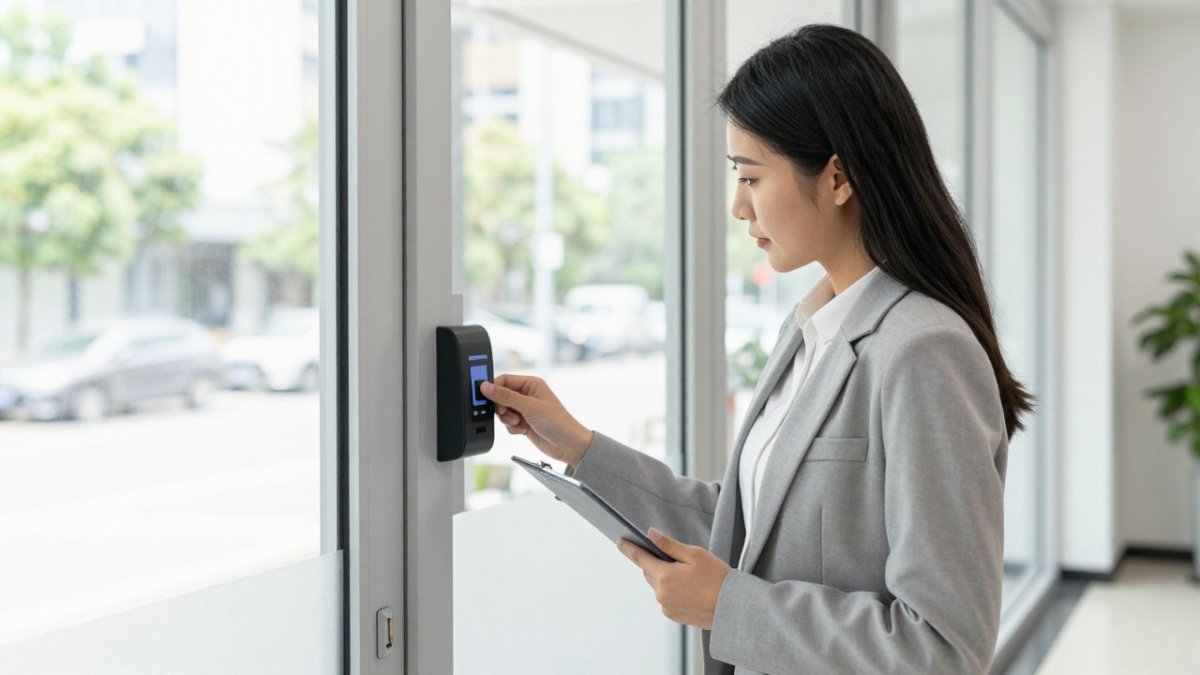
Most businesses start with one of two credential models: something a person has, like a card, or something a person knows, like a code. Biometric readers add a third option based on physical traits. Choosing among them depends on how often credentials change, how many people need access, and how much you want to rely on each person's own device or card.
Keycard and Badge-Reader Access
Keycard and badge readers are the most common commercial choice. Employees tap a proximity card or fob, and the reader verifies it against the controller's list. When an employee leaves, you disable that one card instead of changing locks across the building.
Cards are inexpensive to replace and easy for staff to carry. The main risk is a lost card being used before it is deactivated, so your procedure for reporting and disabling lost credentials matters as much as the hardware.
Keypad, PIN-Code and Biometric Entry
Keypads are simple and budget-friendly, but codes can be shared, written down, or guessed. They work best on secondary doors where traffic is light and you can change codes regularly. Biometric readers, which use a fingerprint or facial scan, remove the need to remember or carry anything. They suit rooms with sensitive equipment or records, though they cost more and need careful enrollment for each user.
Commercial Door Locks: Electronic, Magnetic and Mechanical Options
The reader decides who gets in, but the lock physically holds the door. Electronic locks, magnetic locks, and mechanical locks each serve a different role, and many doors use a combination.
Electric strikes release a bolt in the door frame and are a common retrofit on existing doors.
Mechanical locks, such as commercial mortise and storefront hardware, still play an important role. They are durable, work without power, and are often required as a backup.
Cloud-Based and Connected Systems: Cybersecurity and Privacy Considerations
Cloud-based access control lets you manage doors from a web dashboard or phone app. You can add users, change schedules, and review logs from any location, which is valuable for businesses with several sites.
Before adopting a connected system, ask a few practical questions. Who can log in and what permissions do they have? Is multi-factor authentication available? Where is access data stored, and who can view it?
Privacy also matters. Access logs record employee movements, so limit who can view them and keep them only as long as your policy requires.
Life Safety, Accessibility and Emergency Egress Requirements
Security hardware must never block a safe exit. This is the part of a commercial door project where a wrong choice carries consequences beyond a security gap, so it deserves more planning than the reader or lock selection itself. Doors on an exit path need to open from the inside without a key, card, code, or special knowledge, and any locking device on that path must release when occupants need to leave.
Fail-Safe vs. Fail-Secure: The Decision That Drives Everything Else
Every electronic lock has to answer one question: what happens when power fails? The two answers are not interchangeable, and the choice is usually dictated by the door's role rather than by preference.
- Fail-safe hardware unlocks when power is lost. Magnetic locks are the classic example. This is the default expectation for doors on a means of egress, because a power failure or fire alarm should never trap occupants.
- Fail-secure hardware stays locked when power is lost. Electric strikes and many electrified mechanical locks can be configured this way. This suits secure storage rooms, server closets, and cash-handling areas where an open door during an outage is the bigger risk.
A single building often needs both behaviors on different doors. The mistake to avoid is letting a fail-secure lock land on a path people use to leave the building.
Watch out: a fail-secure lock installed on an exit door can pass a casual walkthrough and still fail an inspection or, worse, fail during an actual evacuation.
How Exit Hardware Releases During a Fire Alarm
On doors that serve as emergency exits, the locking device typically has to release automatically when the fire alarm activates. That release is usually wired through the fire alarm panel or a dedicated power supply that drops power to the lock on alarm.
Request-delay and delayed-egress features, which briefly hold a door locked to slow down a fleeing intruder, are tightly regulated and require specific hardware, signage, and approval. They are not a setting you enable casually on a standard lock.
Accessibility Requirements at the Door
Accessibility is part of the same planning, not an afterthought. Under the Americans with Disabilities Act (ADA) Standards for Accessible Design, doors on an accessible route must meet requirements for clear width, opening force, and operable hardware. In practice that means:
- Readers and keypads mounted at a height and reach range a wheelchair user can use, and positioned so a person does not have to hold a door while reaching for a credential.
- Hardware operable without tight grasping, pinching, or twisting of the wrist, lever handles and push bars rather than round knobs.
- Enough maneuvering space on both sides of the door so a wheelchair or walker can approach, badge in, and pass through.
Exit devices, including panic bars and push bars, must be installed and maintained so they release with a single motion and stay functional. A push bar that sticks or a reader mounted out of reach turns a compliant design into a daily obstacle. If your exit hardware needs attention, you can learn about exit door push bar installation and repair for compliant panic bar hardware.
Emergency Override and Power Backup Planning
Even a well-designed system needs a plan for the day the controller or network fails. Documenting, in writing:
- Mechanical override, a keyed cylinder or other physical release on each controlled door so staff can open it if electronics fail.
- Backup power, battery backup at the lock or a central power supply sized to carry the system through an outage, with a schedule for testing it.
- Break-glass or manual release, a clearly marked, staff-known way to release a door in an emergency.
- Written procedures, who holds override keys, who can release a door remotely, and how staff are trained on both.
Bring your local building official or fire marshal into the design before the hardware is ordered, not after it is installed.
Professional Installation vs. DIY: What to Weigh Before You Buy
Some access control products are sold as do-it-yourself kits, and simple keypad locks can be installed by a handy owner. A commercial system is different. It involves wiring to a controller, power supply planning, fail-safe or fail-secure configuration, integration with fire alarms, and documentation for inspectors and insurers.
Professional installation also gives you a clear point of accountability. You can review the locksmith services available in Evansville, including emergency lockouts, re-keying, and lock replacement. Abra Key Dabra Locksmith Services employs licensed and insured technicians.
Booking Your Commercial Door Security Assessment With Abra Key Dabra
The fastest way to compare these options for your own building is an on-site assessment. Abra Key Dabra Locksmith Services serves businesses throughout the Greater Evansville area, including retail stores and multi-unit properties.
Contact Abra Key Dabra Locksmith Services through abrakeydabra.com to request a quote.
Frequently Asked Questions
What is the difference between an electronic lock and an access control system?
An electronic lock is a single door lock that opens with a keypad, card or key fob, but it usually does not track who entered or manage credentials across many doors. An access control system connects readers, door controllers and lock hardware to central software, so you can assign permissions per user, schedule access by time of day, revoke a lost badge remotely and review audit logs. Small businesses with one or two doors may only need electronic locks, while offices with multiple entrances, staff turnover or sensitive areas usually benefit from a full access control system.
Are keyless entry systems suitable for small businesses?
Yes, keyless entry systems can suit many small businesses, particularly those with a single entrance or a few staff who need regular access. They eliminate the risk of lost keys and make it easy to change codes when an employee leaves. The main considerations are whether the system can be managed without ongoing technical support, whether it has a backup power option during outages, and whether it meets local fire and egress rules for the doors involved.
Should a business install commercial door security itself or hire a professional?
Simple replacements, such as swapping a standard cylinder, may be manageable for a handy owner. Access control systems, however, involve wiring, power supplies, controller programming and integration with fire and alarm systems, and mistakes can leave doors insecure or non-compliant. Professional installation also documents the work and sets up credential management correctly from the start. Many businesses find that paying for a professional assessment and installation costs less than fixing a poorly planned DIY system later.
What should a business look for in a commercial door access control system?
Focus on the number of doors and users you need to support now and in the next few years, the credential types the system accepts, and whether it offers remote management, audit trails and real-time monitoring. Confirm that the hardware suits your door type and that the system can integrate with your alarm or video surveillance if needed. Ask for a written, itemized quote covering hardware, installation, software licensing and ongoing support so you can compare options fairly.
