Last Updated: November 24, 2026
Quick Summary
Clinics manage after-hours access by deciding who may enter, when, and through which door, then recording every entry. A written key control policy, role-based permissions, and a documented review schedule cover most of what a small medical office needs.
- Keep a key or credential log listing every holder, what they carry, and the date issued.
- Give each person only the entry they need, using role-based access for staff, contractors, and visitors.
- Set automatic expiration dates on contractor and temporary credentials.
- Change codes after any staff departure, even if you think the person did not know the code.
- Review the access log each morning for entries outside scheduled hours and failed attempts.
Table of Contents
- How Should Clinics Manage After-Hours Access to Clinic Buildings?
- Why After-Hours Access Control Matters for Clinic Operations
- Building a Medical Office Key Control Policy
- Selecting Clinic Access Control Systems
- Step-by-Step After-Hours Clinic Security Procedures
- Scheduling Your Clinic's Lock and Access Review With Abra Key Dabra
- Frequently Asked Questions
How Should Clinics Manage After-Hours Access to Clinic Buildings?
Clinics manage after-hours access by deciding who may enter, when, and through which door, then recording every entry.
Many clinic managers only think about after-hours access when a key goes missing or a staff member leaves, by then, unknown keys may have circulated for months.
Below, we cover why after-hours access matters, how to build a key control policy, how to choose access control systems, which lock features to specify, and the nightly procedures to follow.
Why After-Hours Access Control Matters for Clinic Operations
After-hours access affects patient safety, staff safety, and the protection of medical records and medications. A building open to anyone with an old key creates risk every evening.
Clinics face several specific pressures:
- Staff often work late. Cleaners, billing staff, and providers may enter after the front desk closes.
- Contractors need entry. HVAC, IT, and maintenance vendors often need access without a staff member present.
- Turnover is common. Former employees may keep keys or codes long after they leave.
A clear after-hours plan reduces these risks without making the building harder for staff to use during the day.
Building a Medical Office Key Control Policy
A medical office key control policy is a written set of rules defining who holds keys and codes, how they are issued, and how they are returned. Keep it short enough that staff will actually read it.
Start with these core elements:
- A key or credential log listing every holder, what they carry, and the date issued
- A sign-out process for keys, fobs, and codes
- A return requirement when someone leaves or changes roles
Write the policy once, then review it each year and after any staff change. For an overview of lock types and installation, see commercial door lock types and installation services.
Defining Role-Based Access for Staff, Contractors, and Visitors
Role-based access gives each person only the entry they need, limiting damage if a credential is lost.
Group access into a few simple roles:
- Clinical staff: Main entrances and treatment areas during scheduled hours
- Administrative staff: Office and records areas, with after-hours entry only when assigned
- Contractors: Entry limited to the work area and the time window of the job
Set expiration dates for contractor and temporary credentials. A credential that expires automatically needs no manual cleanup.
Tracking Keys, Codes, and Permission Reviews
Tracking matters as much as issuing. A key nobody can account for is a security gap.
Review permissions on a fixed schedule:
- Monthly: Check the log against current staff
- Quarterly: Confirm contractor access still matches active jobs
- Immediately: Remove access the day someone leaves
Change codes after any staff departure, even if you think the person did not know the code. This is the most common gap we see in small practices.
Selecting Clinic Access Control Systems
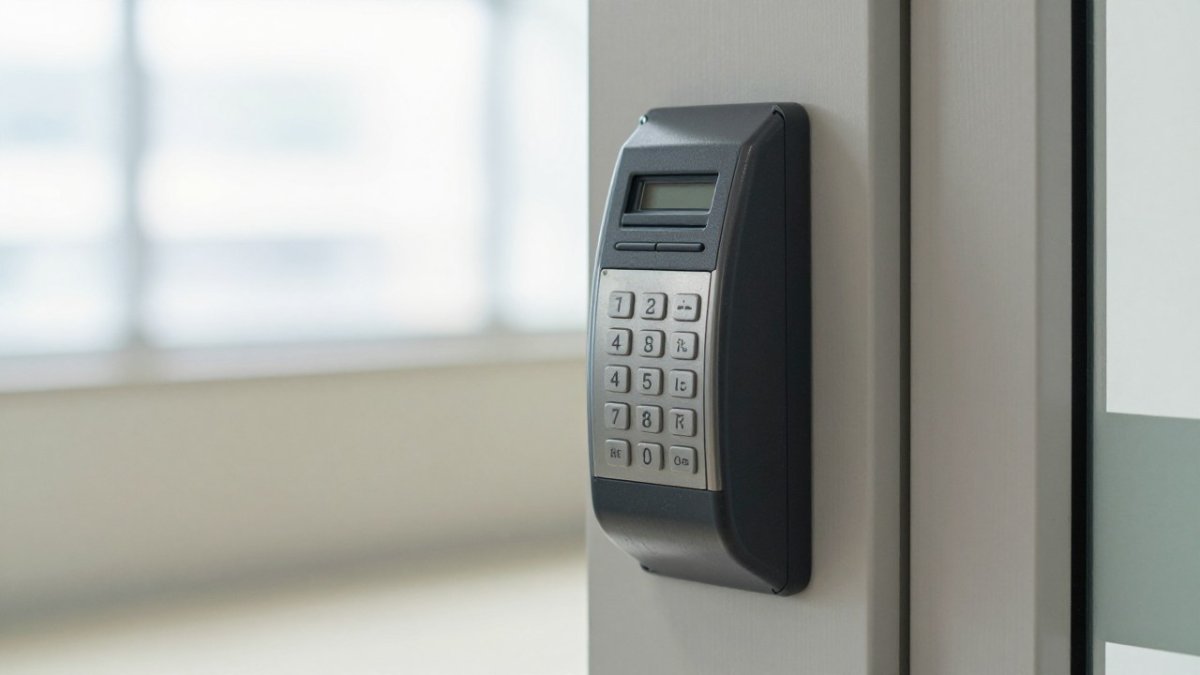
Access control systems range from a standalone keypad on one door to a networked card reader system across a building. Read how access control can connect to practice software to see what integration requires.
Compare the main credential technologies before you request quotes:
- Mechanical keys: Lowest upfront complexity, but no audit trail and no way to revoke a single copy. Rekeying is the only remedy when a key is lost.
- Keypad codes: Easy to add and remove users, but codes get shared, written on sticky notes, and observed. A code change locks out everyone at once.
- Proximity cards and fobs: Individually issued and individually revoked. Cards can be cloned if unencrypted, so specify encrypted credentials for exterior doors and medication areas.
When you compare systems, score each option on these criteria:
- Credential revocation: Can a single card or fob be disabled in under a minute, without rekeying the building?
- Audit logs: Does the system record who entered, which door, and when, and can you export that log for an incident review?
- Scheduling: Can you set different unlock windows for clinical staff, cleaning crews, and contractors?
Keep the access system's identity records limited to staff names, credential numbers, and schedules, and keep clinical data in the systems built for it.
Matching the System to Your Building and Workflow
The right system depends on your building layout and how staff move through it. A single-suite practice with one staff entrance may only need a keypad and a deadbolt; a multi-tenant medical office building with shared corridors, a loading dock, and a medication room needs door-by-door planning.
Map your doors before you buy:
- Public entrance: Unlocked during business hours, locked after close, with a reader or keypad for staff.
- Staff entrance: Reader-controlled at all times, with a schedule that matches shift patterns.
- Medication storage: Reader plus audit log, restricted to named individuals, never a shared code.
- Records and server room: Reader plus audit log, restricted to IT and authorized administrators.
- Mechanical and janitorial closets: Contractor credentials with automatic expiration tied to the job window.
- Loading dock and back doors: Locked at all times, with door position monitoring if the system supports it.
Balancing Accessibility With Privacy and Security
After-hours access has to serve two goals: staff and authorized visitors need to get in without friction, and patients, records, and medications need to stay protected. Separate the building into zones and grant each role the minimum access it needs.
A workable zone plan for a small clinic:
- Zone 1, Public areas: Waiting room and front desk. Locked after hours; no standing credentials for patients.
- Zone 2, Clinical areas: Exam rooms and treatment space. Clinical staff only, with after-hours entry limited to scheduled shifts.
- Zone 3, Records and medication: Named individuals only, with audit logging and no shared codes.
Pair the zone plan with visitor procedures. A contractor arriving after hours should be verified against a scheduled work order, escorted or camera-monitored in clinical areas, and logged out at departure.
HIPAA Security Rule guidance on facility access controls
Incident Response, Audit, and Compliance
An access control system is only as useful as the records it produces. Build a short incident and audit routine around it:
- Review logs weekly. Look for entries outside scheduled hours, repeated failed attempts, and doors held open longer than normal.
- Investigate promptly. If a log shows an unexpected entry, preserve the record, identify the credential, and disable it while you investigate.
- Document the response. Record the date, the finding, the action taken, and who was notified.
Clinics handling protected health information should confirm with their compliance officer or legal counsel which federal and state requirements apply to their facility access controls.
Watch out: an access log that is never reviewed is not an audit trail. It is a record of problems nobody caught.
Step-by-Step After-Hours Clinic Security Procedures
A written routine turns policy into action. Post it near the staff exit and at the after-hours entrance. The procedure below covers the full cycle: opening for an after-hours visit, closing the building, and reviewing what happened the next morning.
Before an After-Hours Entry
- Confirm the visit is authorized. Check the schedule or work order for the staff member, contractor, or patient pickup. If it is not on the schedule, escalate to the on-call manager before unlocking.
- Verify identity at the door. Use the intercom, camera, or a phone call to confirm the person matches the authorization. For door hardware built to resist picking and drilling, see high-security locks for commercial properties. Do not rely on a name alone.
- Unlock only the doors the visit requires. A contractor working on HVAC equipment does not need the medication room. A patient picking up records does not need the treatment area.
- Log the entry. Record the time, name, purpose, and the credential or escort used. If the access system logs automatically, note the exception in the manual log.
Closing the Building
- Confirm the last person out. Check that all staff, contractors, and visitors have left the treatment and records areas.
- Secure medication storage. Lock controlled-substance cabinets and confirm the count is recorded per your practice's policy.
- Close and lock all doors. Test each exit door by pulling the handle. Check the loading dock and back doors, not just the front.
- Arm the alarm. Enter the code only for your own use. Never share alarm codes, and change the code when a holder leaves.
- Log the closing. Record the time, name, and any exceptions in your log.
Watch out: propped-open doors are one of the most common after-hours failures. Install door position alerts if your system supports them, and treat a held-open alert as a real event, not a nuisance.
Morning Review and Follow-Up
- Review after-hours entries. Check the access system log each morning for entries outside scheduled hours, failed attempts, and doors held open.
- Reconcile the manual log. Compare the paper or digital log against the system record. Gaps usually mean someone entered without logging or a credential was shared.
- Follow up on exceptions. Ask the credential holder about any unexplained entry the same day, while the details are fresh.
- Update permissions. Remove access for anyone who left, changed roles, or finished a contract. Change shared codes after any departure.
- File the record. Keep logs and incident notes for the period your compliance policy requires, and make them available for audit.
Escalation and Incident Response
Not every after-hours event is routine. Build a short escalation path so staff know what to do without guessing:
- Suspicious person at the door: Do not unlock. Call the on-call manager and, if the person will not leave, call local law enforcement.
- Unauthorized entry detected: Preserve the access log, disable the credential, notify the practice manager, and document the response.
- Lost key or card: Report it the same day. Disable the credential immediately; if it is a mechanical key, schedule a rekey of the affected doors.
Periodic Review of the Procedure
Review the procedure at least once a year, and after any incident, staff turnover, or building change. Confirm the posted steps match the current door schedule, escalation contacts are current, and the access log is still being reviewed. A procedure nobody has read since it was posted is not a control.
The closing and escalation steps below are easier to scan at a glance.
| Situation | What to do | Timing |
|---|---|---|
| Unplanned after-hours entry | Confirm it is on the schedule before unlocking | Before unlocking |
| Closing the building | Test every exit door by pulling the handle | At closing |
| Morning review | Check the access log for entries outside hours | Each morning |
| Lost key or card | Disable the credential immediately | Same day |
| Suspicious person at the door | Do not unlock; call the on-call manager | Immediately |
| Procedure review | Confirm steps and contacts match current schedule | Yearly and after incidents |
Scheduling Your Clinic's Lock and Access Review With Abra Key Dabra
A lock and access review finds gaps before they become break-ins or lost-key problems, and shows which hardware is worn and which credentials are out of date.
Abra Key Dabra Locksmith Services can review the locks and hardware on your doors and discuss practical options for your building in the Evansville area.
To book a review, contact Abra Key Dabra Locksmith Services through our website. Before you reach out, browse photos of real commercial locksmith work.
Frequently Asked Questions
How should clinics handle after-hours deliveries and contractors?
Assign each delivery driver and contractor a time-limited credential that works only during a scheduled window. Require advance notice with the company name, technician name, and expected arrival time, then have staff meet them at a designated entrance. Log each entry and exit, and revoke the credential as soon as the work is complete. Avoid propping doors open or sharing a general code, since these practices leave no record of who entered the building.
How often should clinics review access permissions?
Review access permissions at least once a year and whenever a staff member changes roles or leaves the practice. Compare the current list of keys, key cards, and door codes against your roster, and remove anything no longer assigned to an active person. Many clinics also run a quick check after any staff turnover, since former employees are a common source of unauthorized after-hours entry. Keep a dated record of each review for compliance purposes.
How can a clinic respond to a lost key or compromised access code?
Act immediately. Deactivate the lost card, fob, or code in your access control system, or rekey the affected lock if it is a mechanical key. Record the incident, note who had the credential, and check the entry log for activity since the loss was likely discovered. Issue replacement credentials only after verifying the staff member's identity, and update your key control records so the chain of custody stays accurate.
What should a clinic's after-hours entry policy include?
A solid policy names who may enter after hours, the entry method for each group, and the approval process for exceptions. It should cover how staff sign in, how patients reach care when the building is closed, how contractors are escorted, and what to do during an alarm or lockout. Assign one person to own the policy, and review it with staff so everyone knows the procedure before it is needed.
